Spoken cues for live production.
A cue list that calls itself. Add a cue, type the line, and hear it spoken on the beat — manually, on a timer, or on timecode.
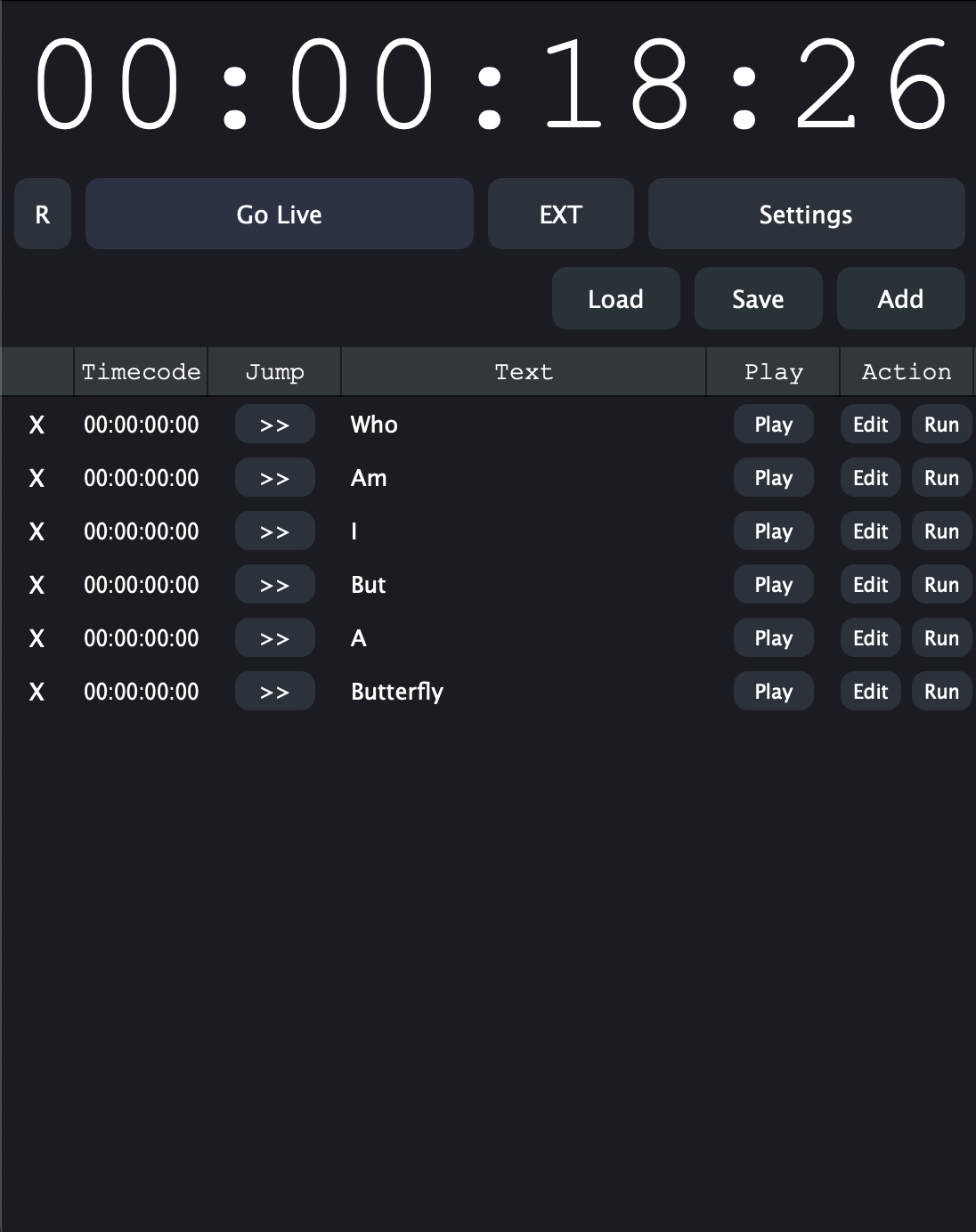
One cue list, every device in the room.
Run it from the booth, from the deck, or from a phone in your pocket. Signed-in devices stay on the same list.
macOS
The full desk: build lists, edit timecode, and run the show from a laptop at the production table.
iOS
The same cue list on iPhone and iPad for callers who work on headset and on the move.
Windows
Native on the machines already racked in most venues, straight from the Microsoft Store.
Offline
Once the list is on the device, the show runs with no network. Changes sync when you are back online.
Built for the booth.
Everything a caller needs on a show night, and nothing that gets in the way of the next cue.
Timecode cue list
Every cue carries a timecode position. Run on the internal clock or lock to an external timecode source and let the show call itself.
Manual GO
Standbys and go cues fire on the line when you say so. Timed calls cover the moments that cannot slip during a run.
Scriptable cues
Embed Lua in any cue to send OSC, Art-Net, MIDI, or UDP alongside the spoken call. A d3 module ships built in; MA3 is in development.
Clear output
Voice tuned to cut through a busy front of house or a backstage monitor. Cues are understood the first time.
Device sync
Share a list with the crew and run it from several devices at once. Everyone hears the same call at the same moment.
Portable show files
Load and save show files for repeatable runs across venues. No cap on the number of lists or cues.
Any room with a cue sheet.
If someone is counting down to a moment, the call can come from here.
Theatre
Call lights, sound, and scene changes from one list. Fewer tabs, less paper, one voice the crew can rely on.
Conventions
Make venue-wide announcements, call attendees back to meeting halls, and flag start times without chasing a PA operator.
Concerts
Cue lighting looks and band changes on count. Performers and operators stay on the same beat.
Broadcast
Keep cameras, audio, and graphics lined up through live segments without overloading the talkback.
Ceremonies
Graduations, awards, and keynotes stay on schedule with clear calls for entrances, playback, and transitions.
Arenas & installations
Halftime moments run on tight windows, and permanent installs repeat the same run every day from a saved file.
A caller you can count on.
The reasons it holds up on a show night, not just in a demo.
The show runs without the internet
Doors open whether or not the venue Wi-Fi does. The cue list lives on the device and fires from there.
Timecode is a first-class citizen
Cues are positioned on a clock, not buried in a checklist. Lock to external timecode and the running order takes care of itself.
Scripting where you need it
Lua on any cue means the spoken call and the rig fire together — no second operator waiting for a nod.
One list, one truth
Shared cue lists remove the version of the running order that lives on somebody else's laptop.
Cross-platform by default
macOS, iOS, and Windows are all first-class. The crew brings what it has and still hears the same call.
Nothing to learn on show day
Add a cue, type the line, set the time. The interface is the cue sheet a caller already reads.
Speaks to the rest of the rig.
The spoken call is the front end. Underneath, each cue can talk to the rest of the room.
- Cue triggering
- Manual GO on the line, timed calls, and timecode positions driven by the internal clock or an external timecode source.
- Protocol output
- OSC, Art-Net, MIDI, and UDP sent from a cue's script at the same instant the call is spoken.
- Lua scripting
- A full scripting hook on any cue, for conditional calls, rig commands, and anything a plain cue line cannot express.
- Console & server modules
- A d3 (disguise) module ships built in. A grandMA3 module is in development.
- Show files
- Load and save complete cue lists, then reopen the same show in another venue or on another platform.
- Multi-device operation
- Shared cue lists run from several signed-in devices at once, all hearing the same call at the same moment.
Frequently asked questions.
The things people ask before their first show file.
What does Show Caller AI do?
It calls your cues out loud. You build a cue list, type the line for each cue, and the app speaks it — fired manually on the line, on a timer, or at a timecode position. It is a spoken cue notifier for stage managers, show callers, and anyone running a room from a cue sheet.
Which platforms does it run on?
macOS, iOS, and Windows. It is available on the Apple App Store and the Microsoft Store, and cue lists sync across signed-in devices.
Can cues trigger lighting, video, or audio systems?
Yes. Any cue can embed Lua that sends OSC, Art-Net, MIDI, or UDP alongside the spoken call. A d3 (disguise) module ships built in, and a grandMA3 module is in development.
Does it work offline?
Yes. Once a cue list is on the device, the show runs with no network connection. Changes sync the next time the device comes online.
Can a crew share one cue list?
Yes. Share a cue list with your team and run it from multiple devices at once. Everyone hears the same call at the same moment.
Is there a limit on cues or cue lists?
No. Create as many cue lists and cues as the production needs, and save each one as a show file you can reopen anywhere.
Can cues follow timecode?
Yes. Each cue carries a timecode position and fires when the clock reaches it, driven by the internal clock or an external timecode source.
Ready to call your show?
Build the cue list once. Let it call itself for the rest of the run.